AI Grader: Free Grade Predictor for Students and Teachers
Have you ever finished an assignment and wondered, “What grade might I get?”
Waiting for a teacher or examiner to mark your work can take time. While you wait, you may already want to know whether your assignment is clear, well-structured and strong enough for your target grade.
That's where an AI Grader can help.
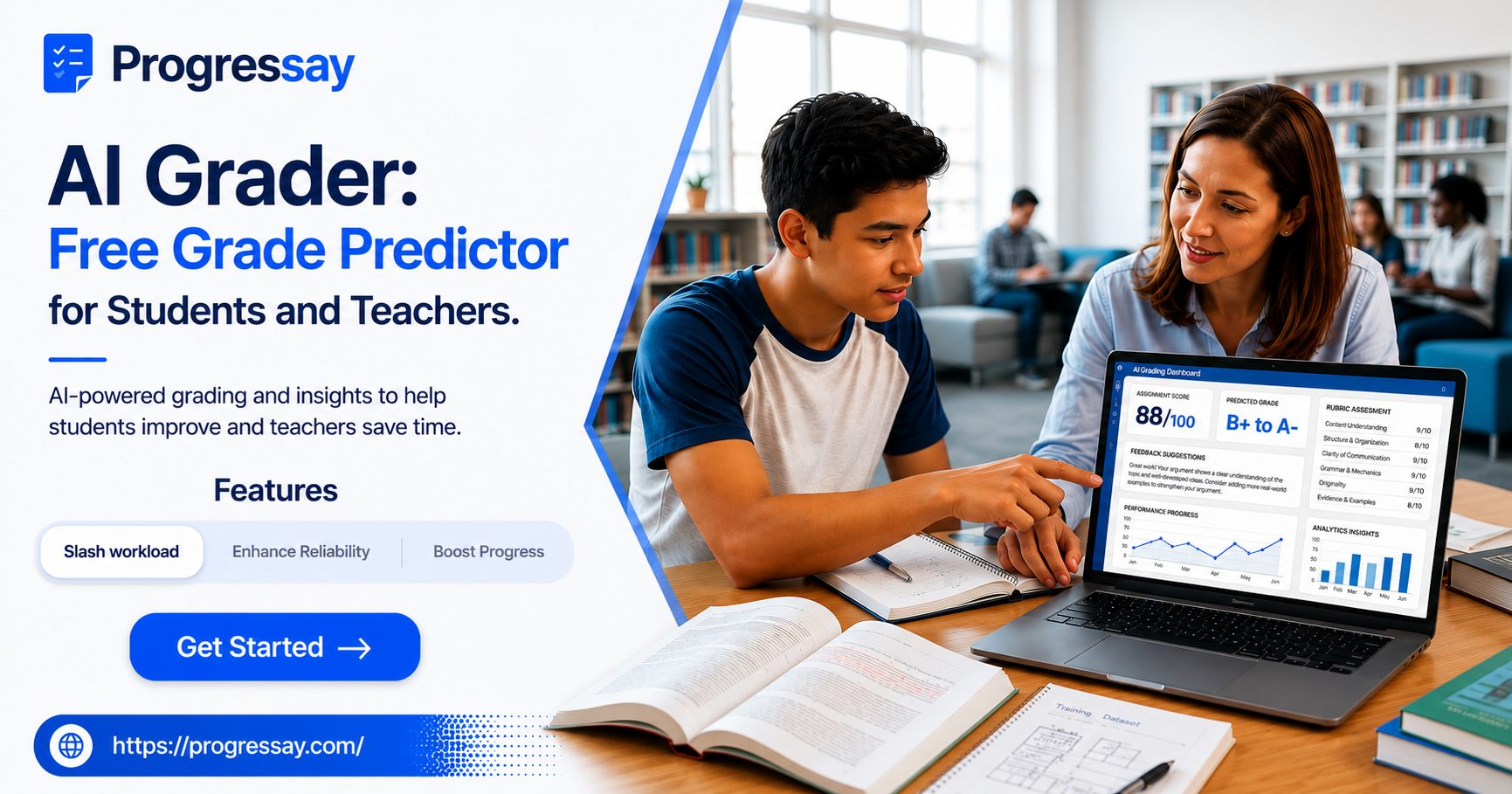
An AI Grader uses artificial intelligence to review written work and provide feedback based on the information and criteria available to the tool. For students, it can be useful for checking an assignment before submission. For teachers, AI grading tools can help make the initial review and feedback process more efficient.
What Is an AI Grader?
An AI Grader is an online tool that uses artificial intelligence to analyse written work and provide an estimated grade or feedback.
Depending on the tool, it may look at areas such as:
- Content and ideas
- Organisation and structure
- Writing clarity
- Grammar and spelling
- Relevance to the question
- Overall quality
- Areas that could be improved
An AI grade should be treated as guidance rather than a guaranteed final result. A teacher or examiner may assess work differently depending on the subject, marking criteria and context.
What Is an AI Grade Predictor?
An AI grade predictor gives students an indication of how their work may perform based on the criteria used for the assessment.
For example, you might submit an essay and receive feedback suggesting that certain areas are strong while others could be improved.
This can be particularly useful when you are still working on your first or second draft.
Instead of simply asking:
“What grade will I get?”
you can ask:
“What can I improve before I submit this?”
That change in mindset can make AI feedback much more useful.
How Can Students Use a Free AI Grader?
Students can use an AI Grader as part of their revision and editing process.
1. Write Your Assignment First
Start by completing your own work.
Don't use the AI tool to replace your thinking or writing. Your ideas and understanding should come first.
2. Check Your Work
Read through your assignment before submitting it to an AI grading tool.
Look for obvious spelling mistakes, missing information and unclear sections.
3. Get an Estimated Grade or Feedback
Use the free AI Grader to review your work and identify areas that may need improvement.
4. Understand the Feedback
Don't simply change everything the AI suggests.
Think about why something was flagged and whether the suggestion actually improves your answer.
5. Improve Your Assignment
Make your own revisions based on the useful feedback.
Then read your assignment again before submitting it.
This creates a simple process:
Write → Check → Get Feedback → Improve → Submit
How Can Teachers Use an AI Grader?
AI grading tools aren't only useful for students.
Teachers can also use AI-assisted grading as a way to support their workflow, particularly when reviewing large amounts of written work.
An AI Grader may help teachers:
- Review assignments more efficiently
- Identify common writing problems
- Provide initial feedback
- Spot areas that need further attention
- Support consistent assessment
- Save time on repetitive feedback tasks
However, teacher judgement remains important. AI should support the teacher's expertise rather than replace it.
AI Grader vs Traditional Grading
AI grading and traditional teacher assessment have different strengths.
| AI Grader | Teacher Grading |
|---|---|
| Provides feedback quickly | Provides human judgement |
| Useful during drafting | Understands classroom context |
| Can handle multiple submissions | Can consider individual student circumstances |
| Helps identify common issues | Can give personalised guidance |
| Useful for initial review | Makes the final academic judgement |
The strongest approach can be to use AI as a supporting tool, while teachers remain responsible for appropriate assessment and feedback.
Can an AI Grader Predict Your Exact Grade?
Not necessarily.
An AI grade predictor should not be viewed as a guarantee of your final mark.
Your actual grade can depend on factors such as:
- The marking scheme
- Subject requirements
- Examiner judgement
- Assignment instructions
- Assessment criteria
- Quality of your argument or answer
- Whether you have answered the question correctly
Think of an AI prediction as a useful indication, not a promise.
Why Use an AI Grader Before Submission?
One of the biggest advantages is timing.
You don't have to wait until after an assignment has been submitted to think about what could have been better.
Using an AI Grader during revision can help you ask important questions:
Is my answer clear?
Have I explained my ideas properly?
Is my structure easy to follow?
What areas could I improve?
These questions can help turn feedback into action.
Try Progressay's Free AI Grading Assistant
If you're looking for an AI Grader to help review your assignments, Progressay provides an AI-powered grading and feedback tool that students can use to review their written work.
Instead of submitting an assignment and immediately moving on, you can use feedback as part of your revision process.
👉 Try the free AI Grading Assistant on Progressay
You can use the feedback to identify areas that may need attention and make your own improvements before submitting your final work.
Final Thoughts
An AI Grader can be more than a way to predict a possible grade. Used properly, it can become part of a better learning and revision process.
For students, it can provide another perspective before an assignment is submitted. For teachers, it can support the process of reviewing written work and providing feedback.
The key is to use AI as a learning and feedback tool, not as a replacement for your own thinking or your teacher's judgement.
If you want to see what your assignment could improve, try Progressay's free AI Grading Assistant and use the feedback to make your next draft stronger.
Frequently Asked Questions
What is an AI Grader?
An AI Grader is an artificial intelligence-powered tool that analyses written work and can provide an estimated grade, feedback or suggestions for improvement.
Is there a free AI Grader for students?
Yes. Students can use free AI grading tools to review their assignments and receive feedback. Try Progressay's free AI Grading Assistant.
Can teachers use an AI Grader?
Yes. AI grading tools can support teachers by helping with initial assignment reviews, feedback and identifying common issues. Teacher judgement should remain an important part of assessment.
Is an AI grade predictor accurate?
An AI grade predictor can provide useful guidance, but it cannot guarantee the exact grade a teacher or examiner will award.
Can an AI Grader improve my assignment?
It can help you identify areas that may need improvement. You should review the feedback carefully and make your own decisions about how to revise your work.
Is AI grading the same as teacher grading?
No. AI grading can provide automated feedback, while teachers can consider subject knowledge, classroom context, assessment requirements and individual student needs.